About Me
Hi, I’m Jaeyeon Yoo
I am transforming social insights into human‑centered design solutions.
UC San Diego
Graduated June ’26B.A. Political Science – International Relations (IR)
Minor in Cognitive Science – Design
Tools I Use
Figma
 Notion
 Claude Code
 Illustrator
01
Mobile App
Re:closet
Reduces fast-fashion waste through clothing up-cycling and donation.
02
Mobile App
Campulse
Protects campus life with a real-time, self-alert safety system.
03
Social Platform
Spill the tea
Discover authentic coffee spots through real, trusted recommendations.
04
UI/UX Redesign
Spotify Re-design
Transforming a cluttered search experience into clear, personalized discovery.
← Back to Home
1. Re:closet - How can we make sustainable living feel effortless?
It is a mobile application that reduces fast-fashion waste through clothing up-cycling and donation
PROBLEM & RESEARCH
Fast fashion and its textile waste are growing environmental challenges
The fashion industry generates 92 million tons of textile waste annually, while the average person in the U.S. discards 81.5 pounds of clothing each year.
To address this, we designed a prototype that encourages sustainable purchasing habits.
To address this, we designed a prototype that encourages sustainable purchasing habits.
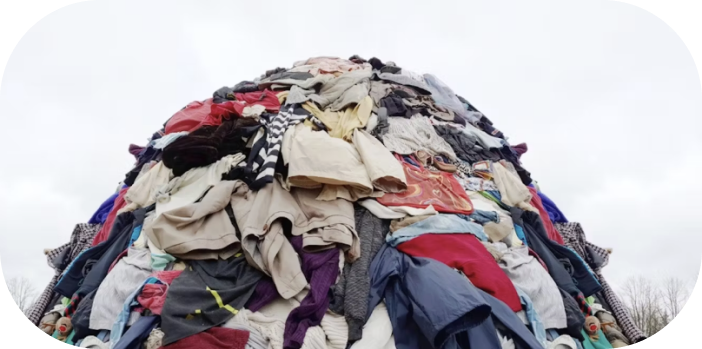
source: Earth.Org, “10 Concerning Fast Fahion Waste Statistics” (2023).
USER INSIGHTS
Survey
Up-cycling Demographic
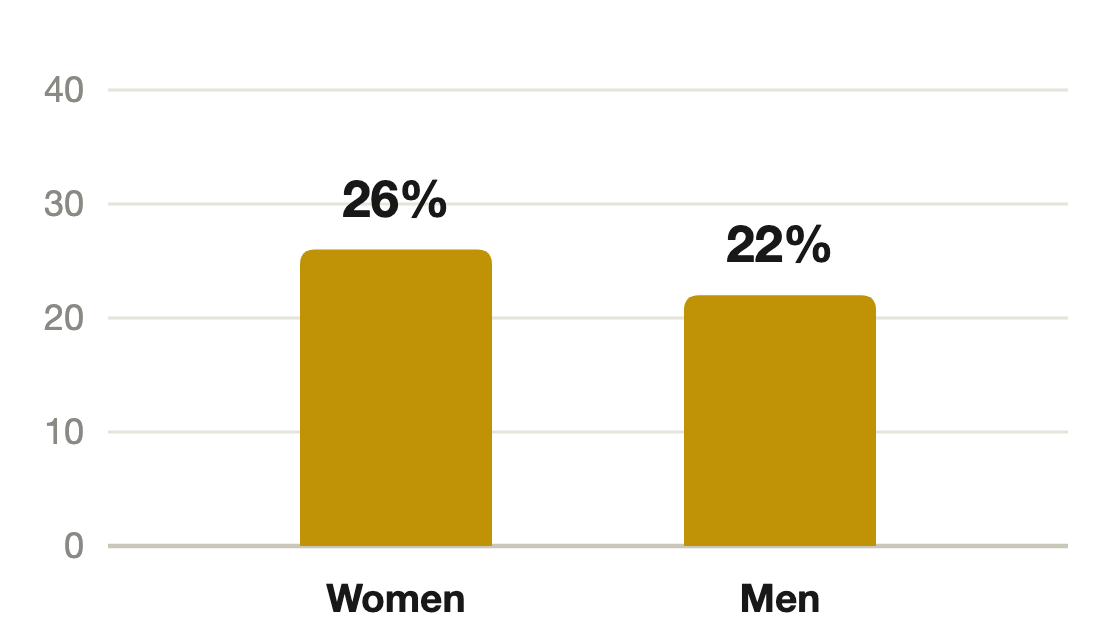
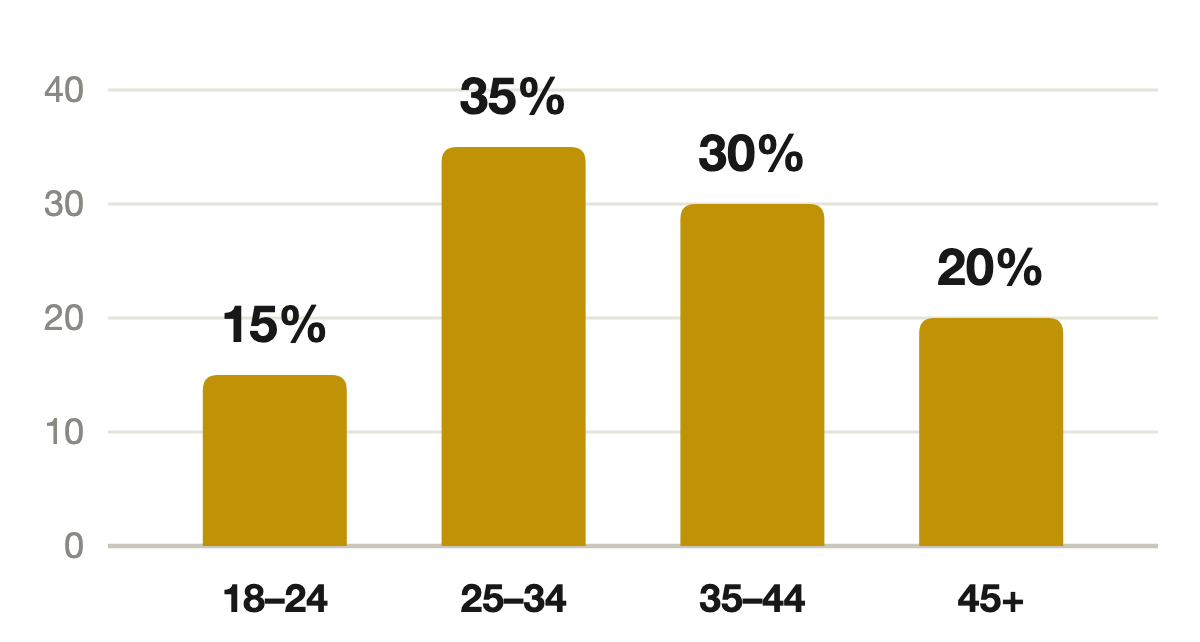
Survey data collected via Google Forms
Environmental Impact
Total Textile Waste Produced
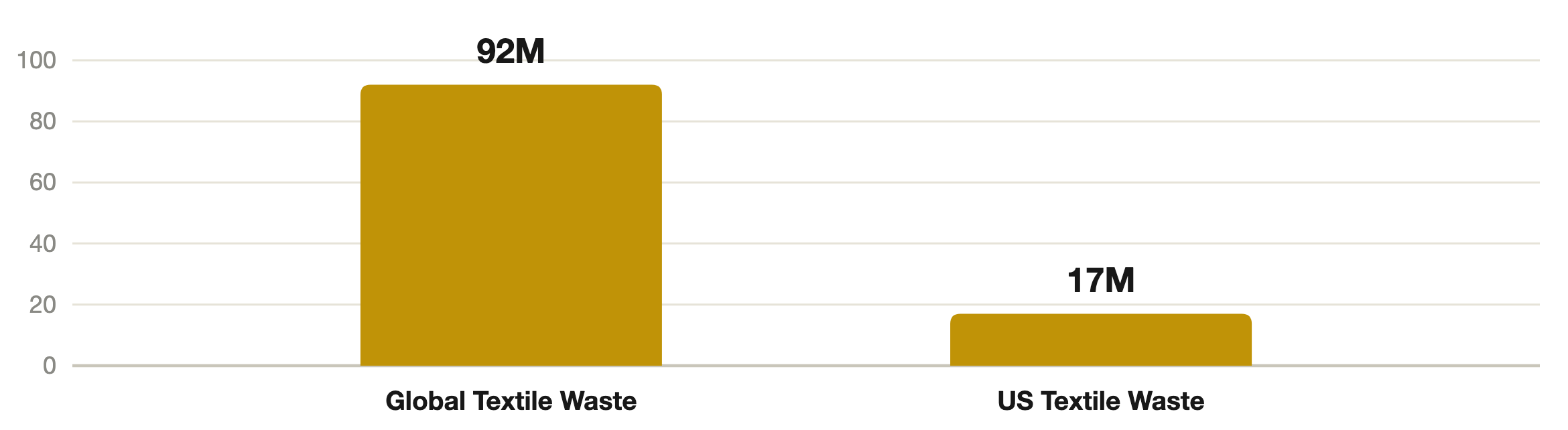
Source: Earth.Org, “10 Concerning Fast Fashion Waste Statistics” (2023)
Key Finding
Women aged 20–30 with higher income are highly interested in sustainable fashion.
80%+
of respondents fit this profile
98%
expressed interest in eco‑friendly actions
DESIGN GOALS

Allow
for convenient clothing donation
for convenient clothing donation
Reinforce
users’ awareness of their environmental impact
users’ awareness of their environmental impact

Foster
long-term sustainable practices through the app
long-term sustainable practices through the app
USER INTERFACE
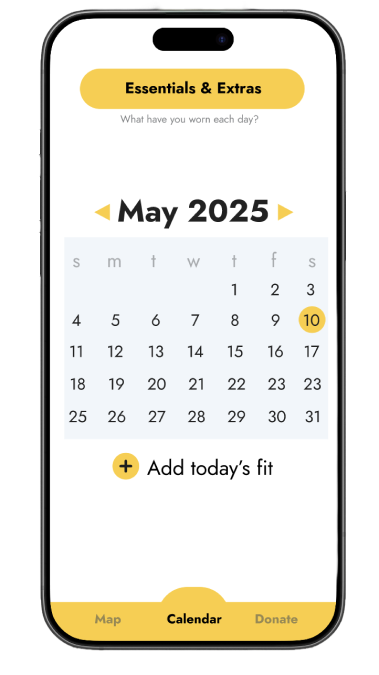
1
Log daily outfits
Users can record their daily outfits in the calendar.
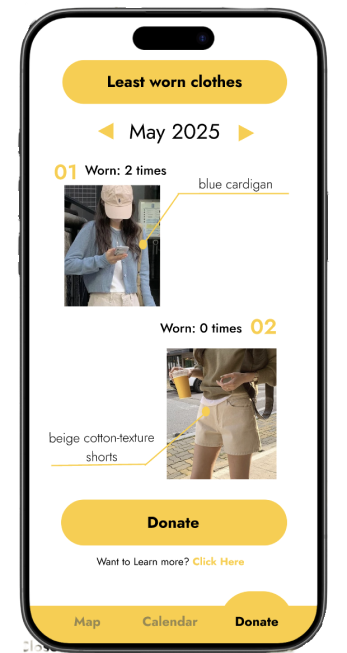
2
Find least-
worn clothes
worn clothes
Users can easily identify underused items.
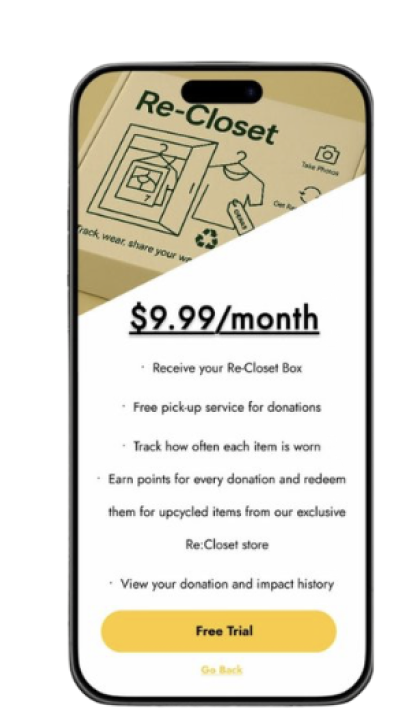
3
Donate unwanted clothes!
Users can conveniently donate unwanted clothes with a donation box delivered to their door.
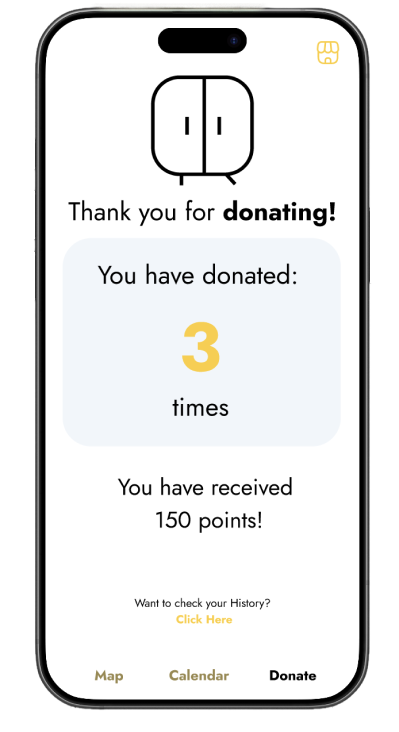
4
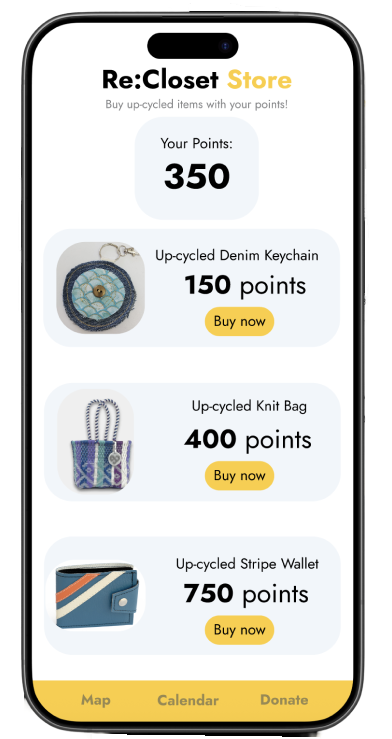
Earn reward points
Users earn points redeemable for upcycled products.
5
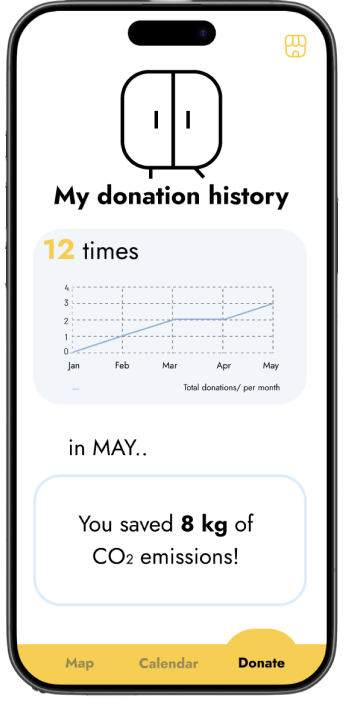
Track your impact
The app visualizes carbon emission reductions from each donation.
6
Redeem upcycled products!
Users can redeem earned points for upcycled products.

← Back to Home
2. Campulse – How can campus safety alerts became more actionable?
It is a mobile application that protects campus life through self-alert system
PROBLEM & RESEARCH
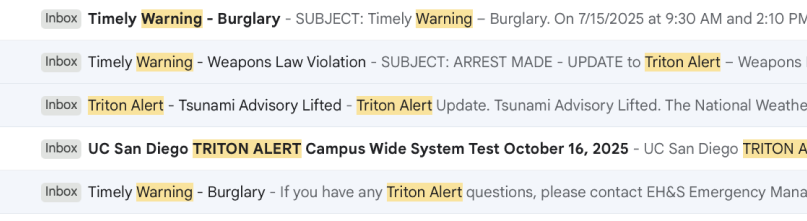
Import safety alerts get buried in crowded inboxes
UCSD delivers campus safety and event updates via official emails, but many students overlook them due to lengthy and the high volume of daily emails.
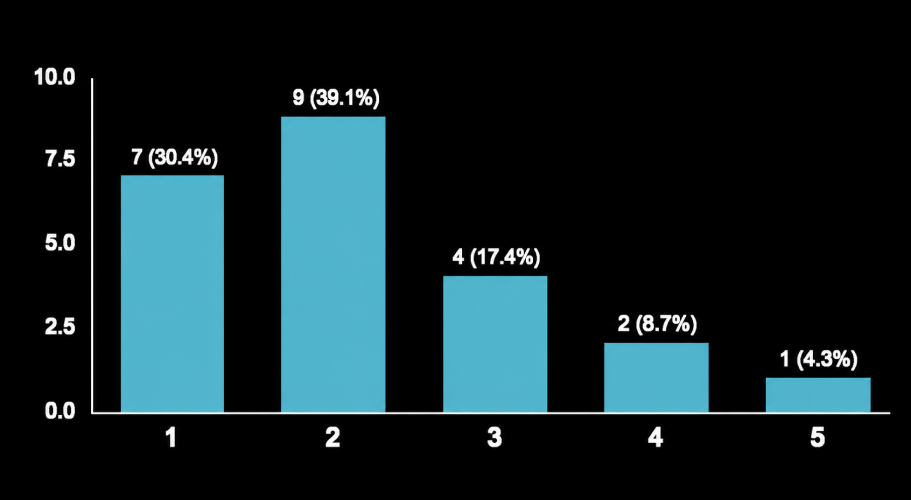
How effective do you think the current campus safety notificaiton system is?
Around 70% of respondents perceived the current campus safety alert system as ineffective.
The most common reasons were that safety alerts were buried among other emails (68.4%), users often overlooked the emails (47.4%), and it was difficult to identify the urgency or importance of the alerts (47.4%).
The most common reasons were that safety alerts were buried among other emails (68.4%), users often overlooked the emails (47.4%), and it was difficult to identify the urgency or importance of the alerts (47.4%).
survey data collected via Google Forms
DESIGN GOALS

Make
campus incident updates easier and faster
campus incident updates easier and faster

Create an environment where campus communities actively share safety information
USER INTERFACE
2
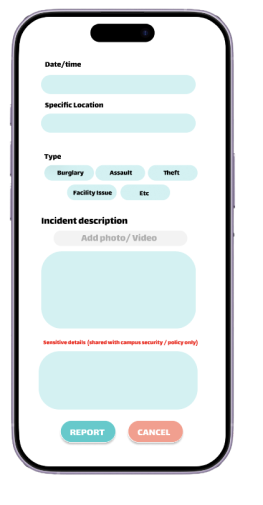
Report incidents
Users can report incidents by selecting a category, adding a description, and uploading a photo.
Sensitive details can be submitted optionally.
1
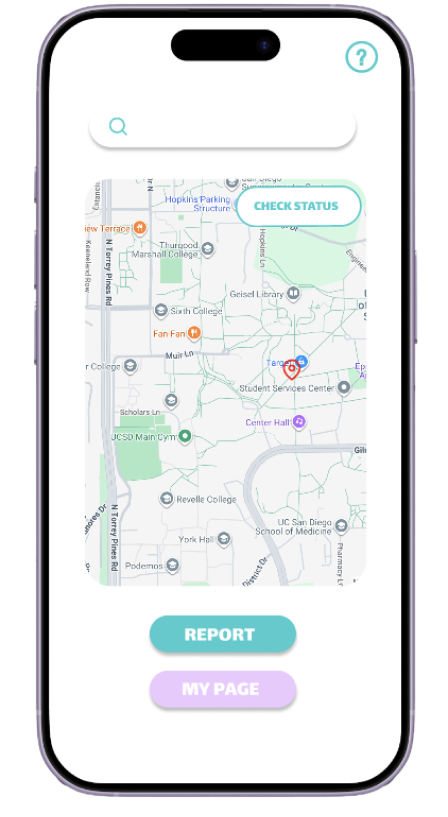
View incidents on the map
Users can view campus incidents on an interactive map.
3
Track incident status
Incidents are categorized by status and updated in real time.
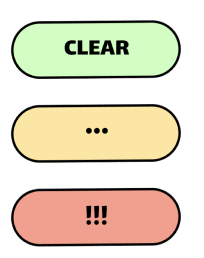
: Reported incident has been resolved.
: Incident is under investigation or being addressed.
: Incident has not yet entered the resolution process.
MY PAGE
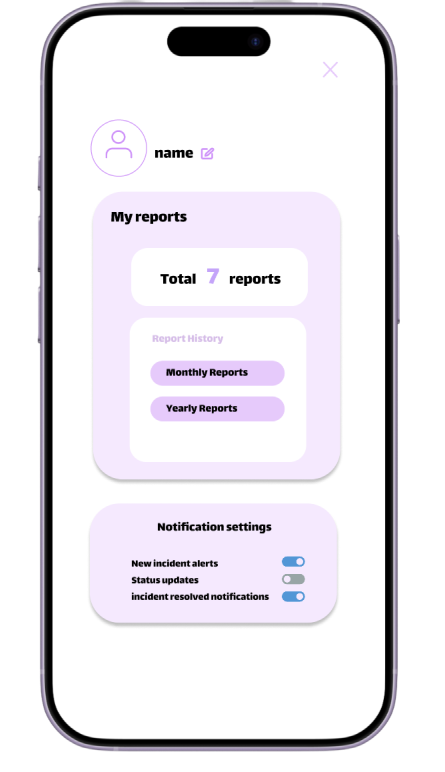
Functions
1
View report history
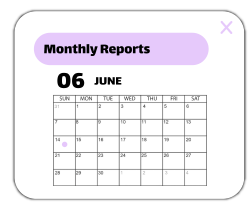
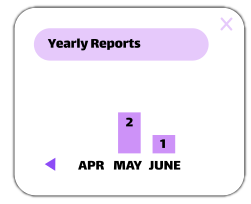
Users can track their monthly and yearly report history.
2
2
Manage notifications
Users can choose which incident notifications to receive.

← Back to Home
3. Spill the tea - Why Gen Z trusts people over research?
It is a social discovery platform designed to discover authentic coffee spots through recommendations
PROBLEM & OPPORTUNITY
Sharing favorite cafes has become a growing social trend among Gen Z, with many discovering new places through friends and social media rather than traditional search platforms
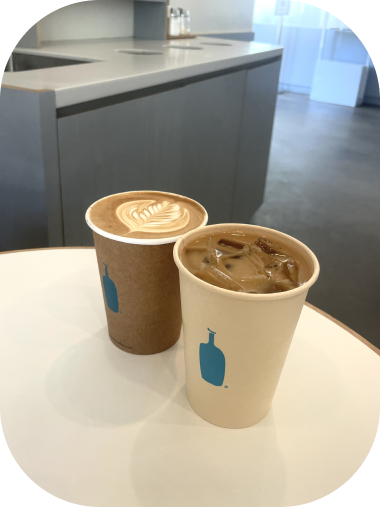
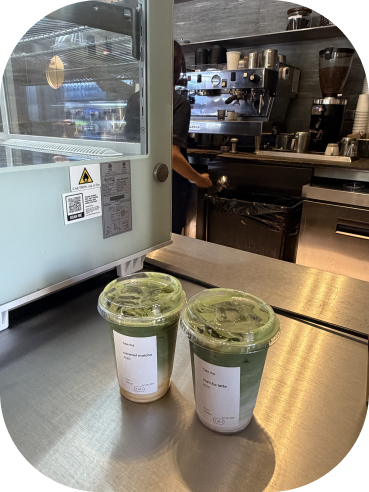
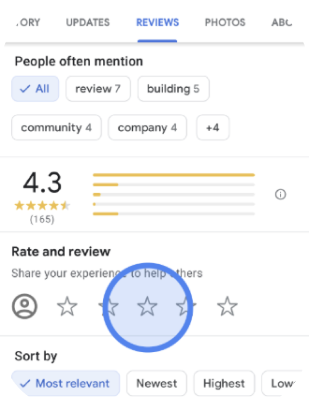
However, existing platforms focus on ratings and text-based reviews, making it difficult to capture the atmosphere and overall experience that make each cafe or drink memorable.
This shift presents an opportunity to create a more engaging way to discover and recommend coffee and matcha spots.
DESIGN GOALS

Make
cafe recommendations more visual and trustworthy
cafe recommendations more visual and trustworthy

Encourage
users to share their favorite coffee and tea spots
users to share their favorite coffee and tea spots

Help
users discover aesthetic places through recommentations
users discover aesthetic places through recommentations
USER INTERFACE
1
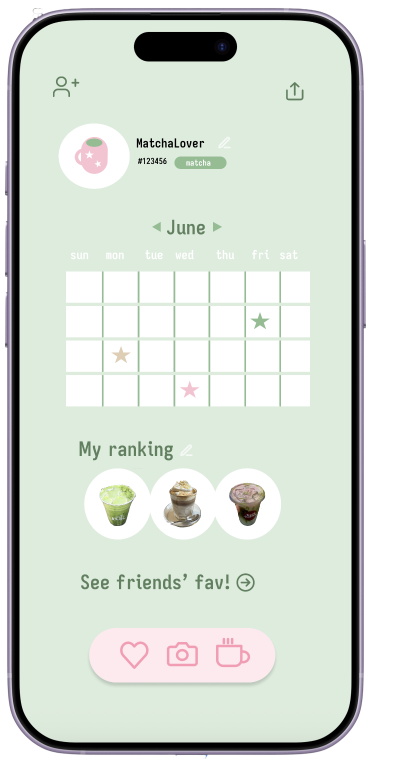
Select preferences
Users can select their favorite drink categories, such as matcha, coffee, and tea.

2
Log your drinks
Users can capture and log drinks in the in-app calendar, where each entry appears as a star-shaped marker.
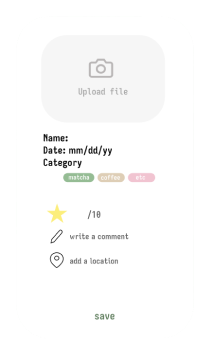
3
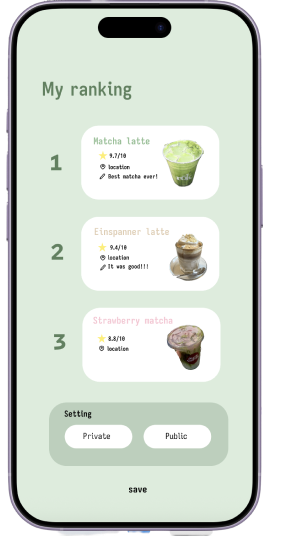
Rank your favorites
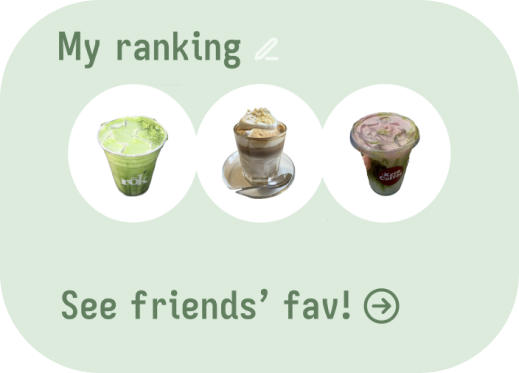
Users can rank their top three drinks and save ratings, locations, and personal notes.
Main Navigation
1
My list
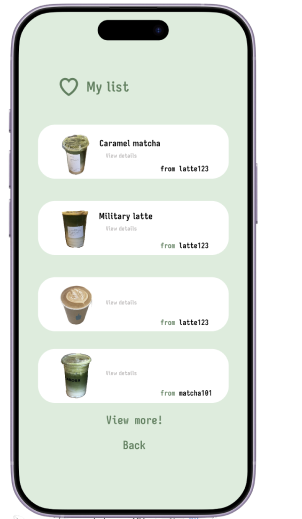
Browse drinks shared by other users and save favorites to their collections.
2
Snap it
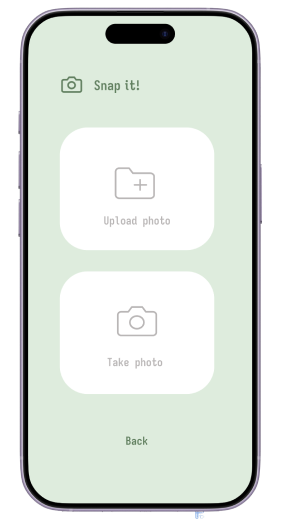
Upload or capture drink photos to their calendars.
3
Community
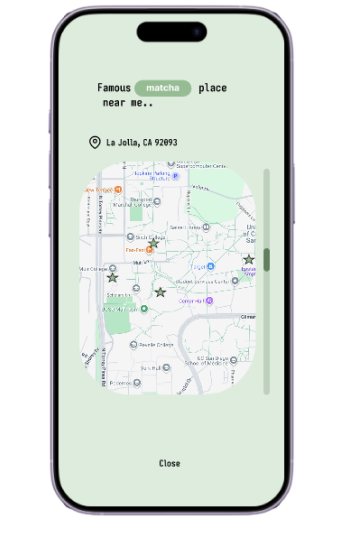
Explore nearby cafes and drink recommendations shared by the community.

← Back to Home
04
SPOTIFY RE-DESIGN
Transforming Complexity into
Clear, Personalized Experiences
Individual Project
Duration: 2026. 04 ~ 2026. 06
Tool: Figma, Google Form, Claude Code
Duration: 2026. 04 ~ 2026. 06
Tool: Figma, Google Form, Claude Code
PROBLEM & RESEARCH
Survey
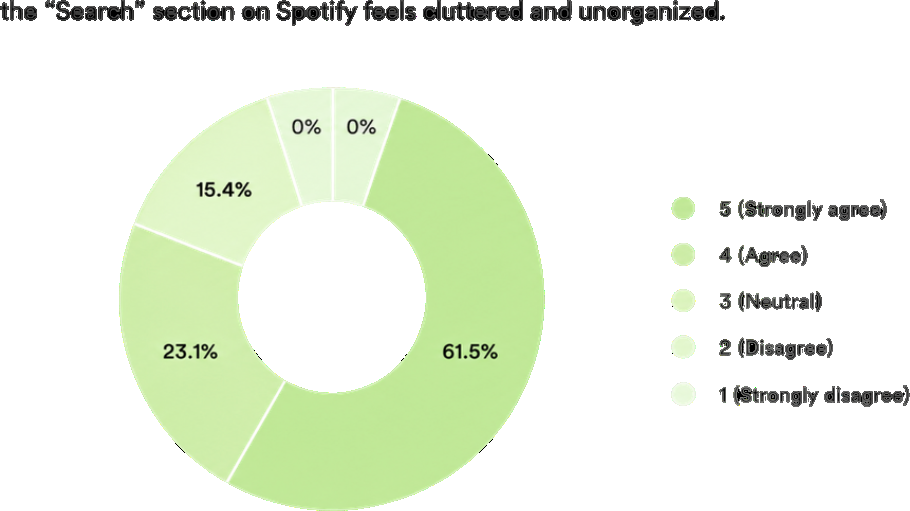
About
85%
of respondents agree that the search section feels cluttered and unorganized.
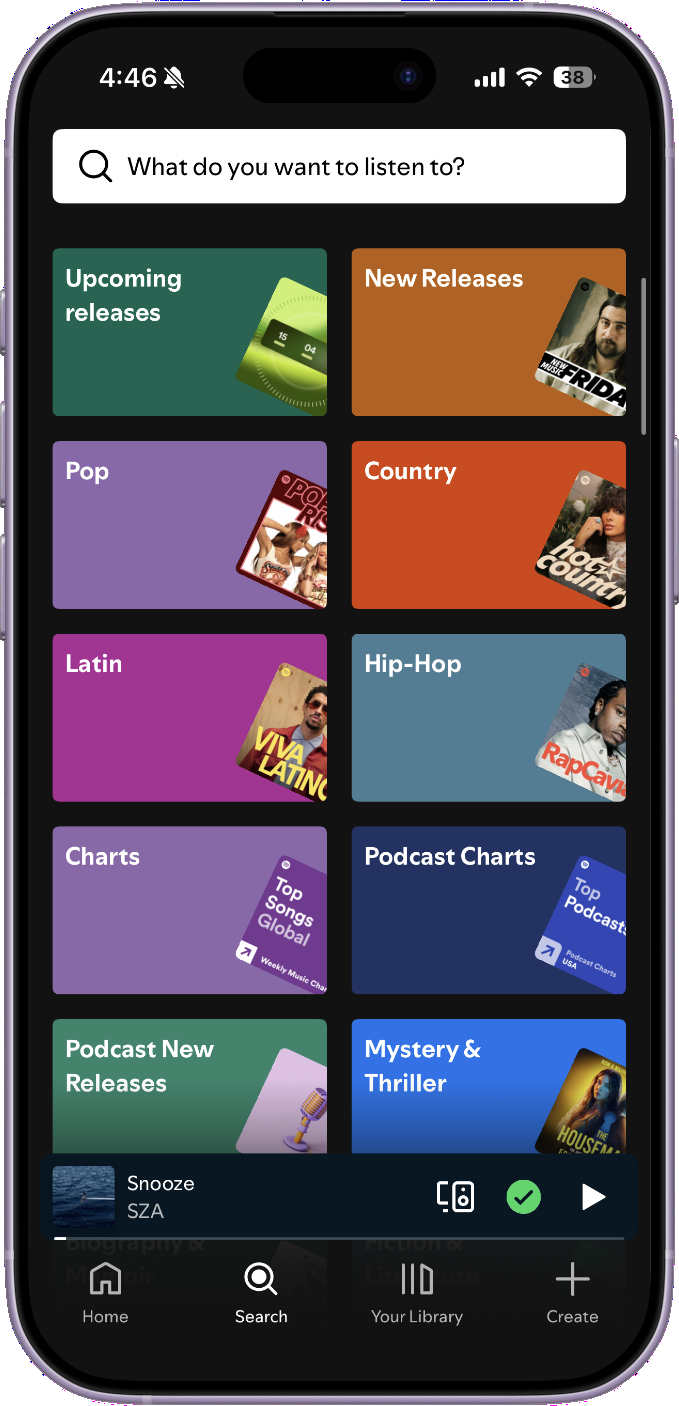
Actual Spotify Search UI
Research

Too many categories
Too many categories make content discovery feel overwhelming.

Increased search fatigue
Multiple steps to reach desired content increase cognitive load and friction.
USER INTERFACE
Before
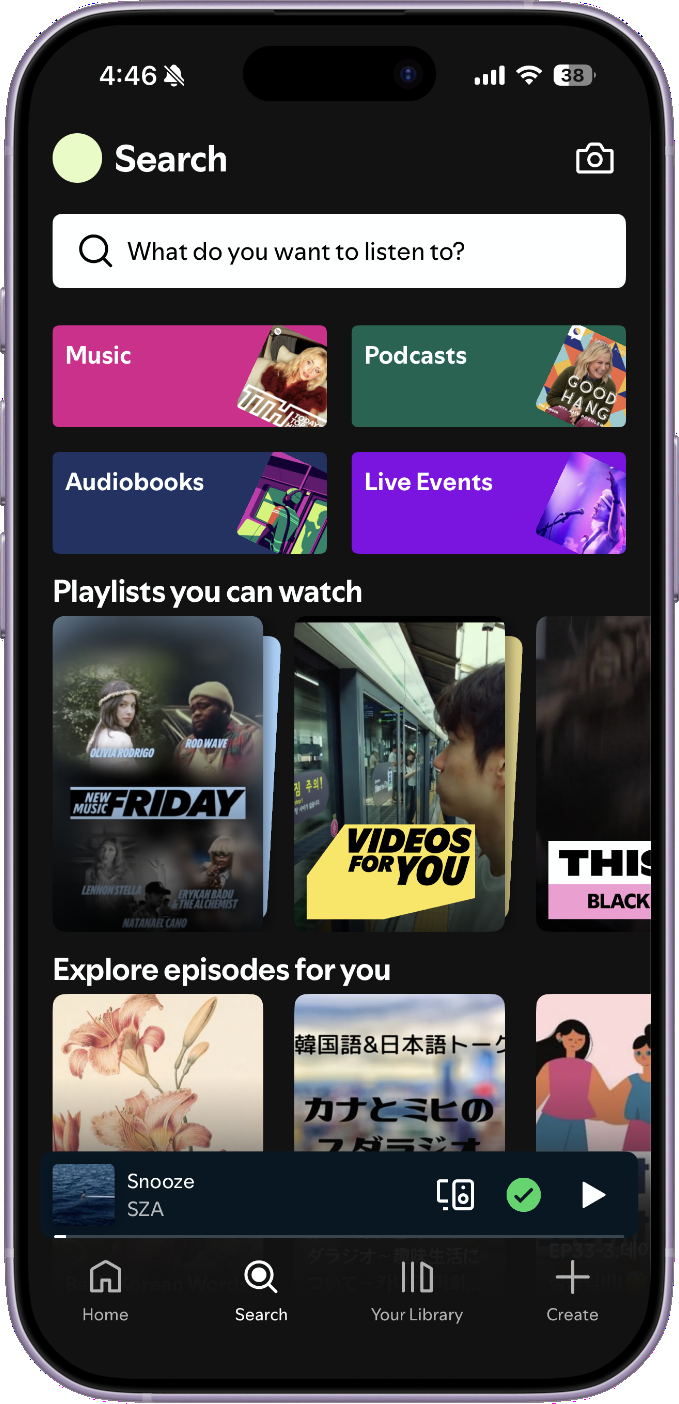
Actual Spotify Search UI
After
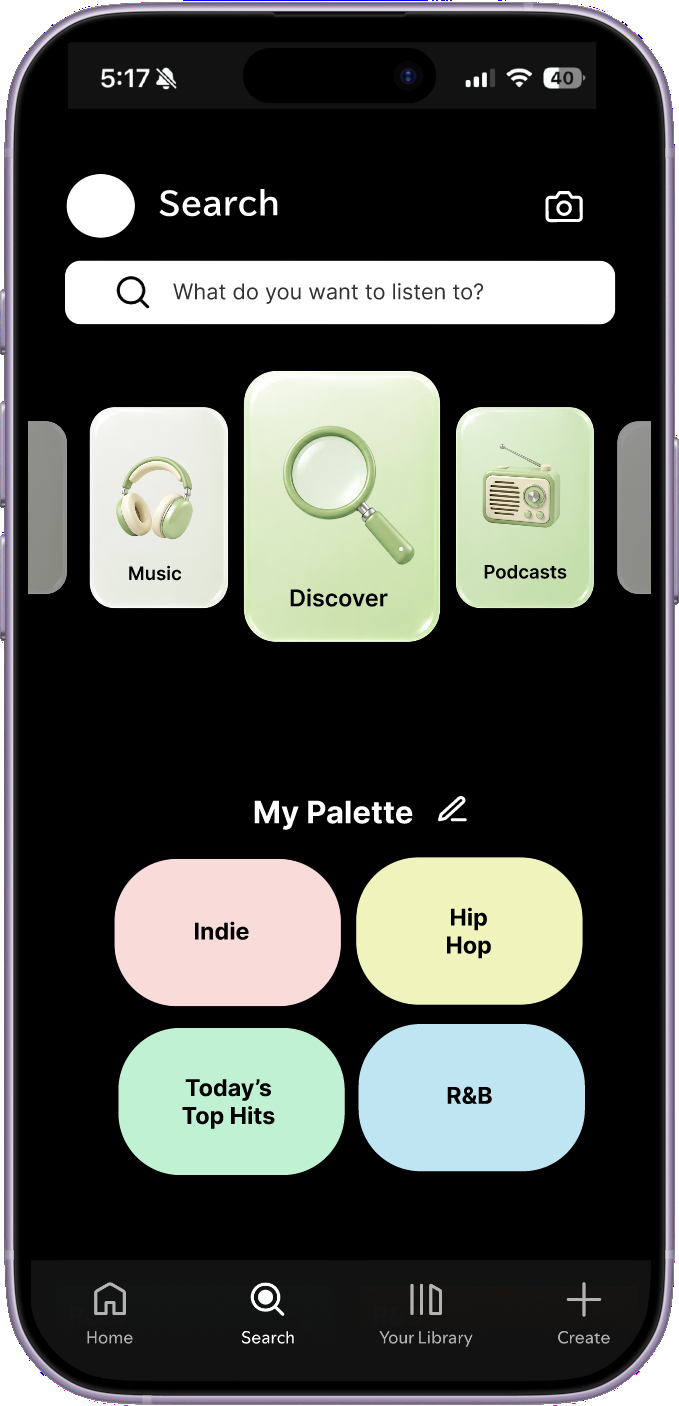
1
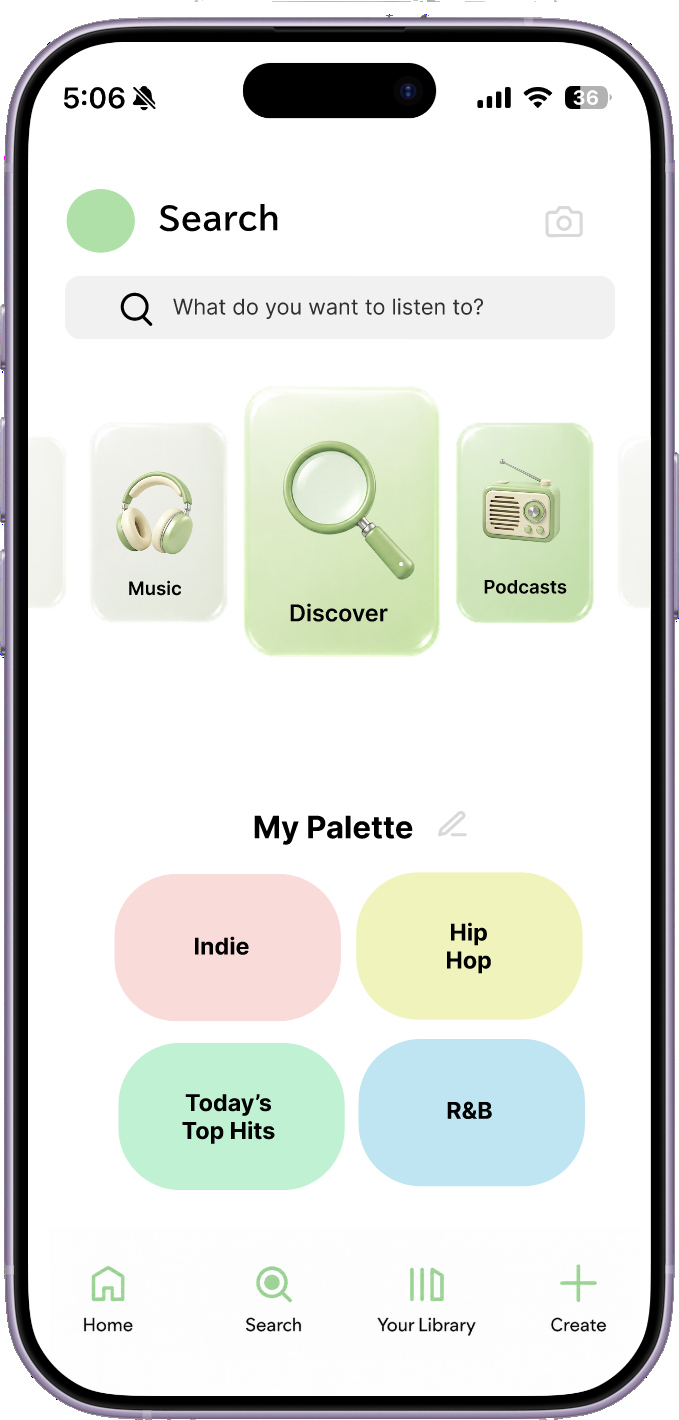
Card-based UI
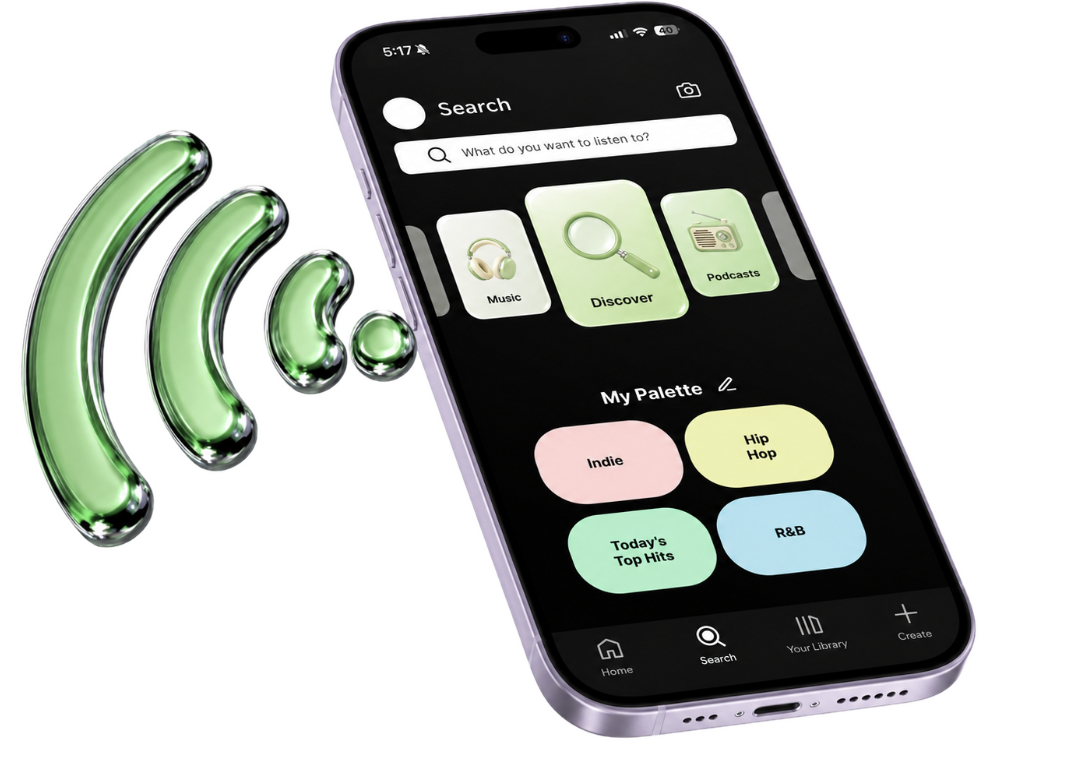
A scrollable card-based layout reduces visual complexity
2
Discover feature
Consolidates secondary features into a single discovery experience, reducing information complexity.
3
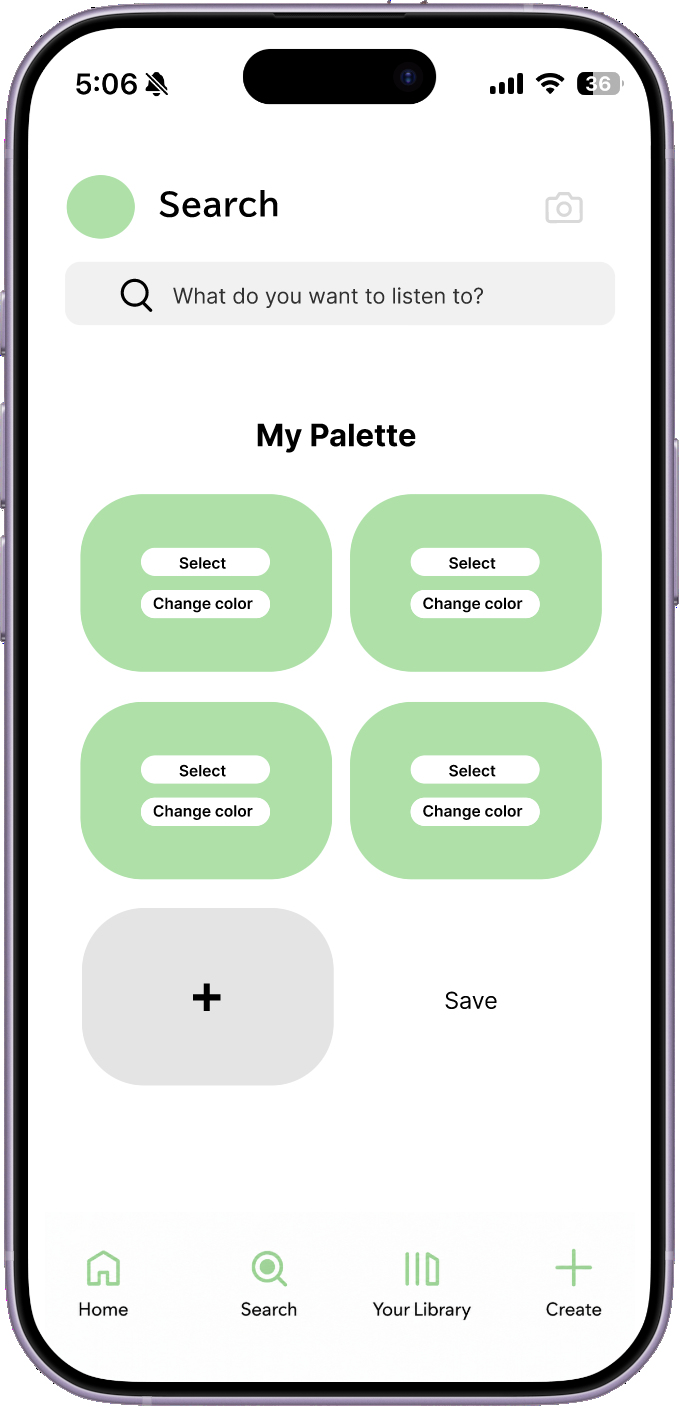
Customizable Palette
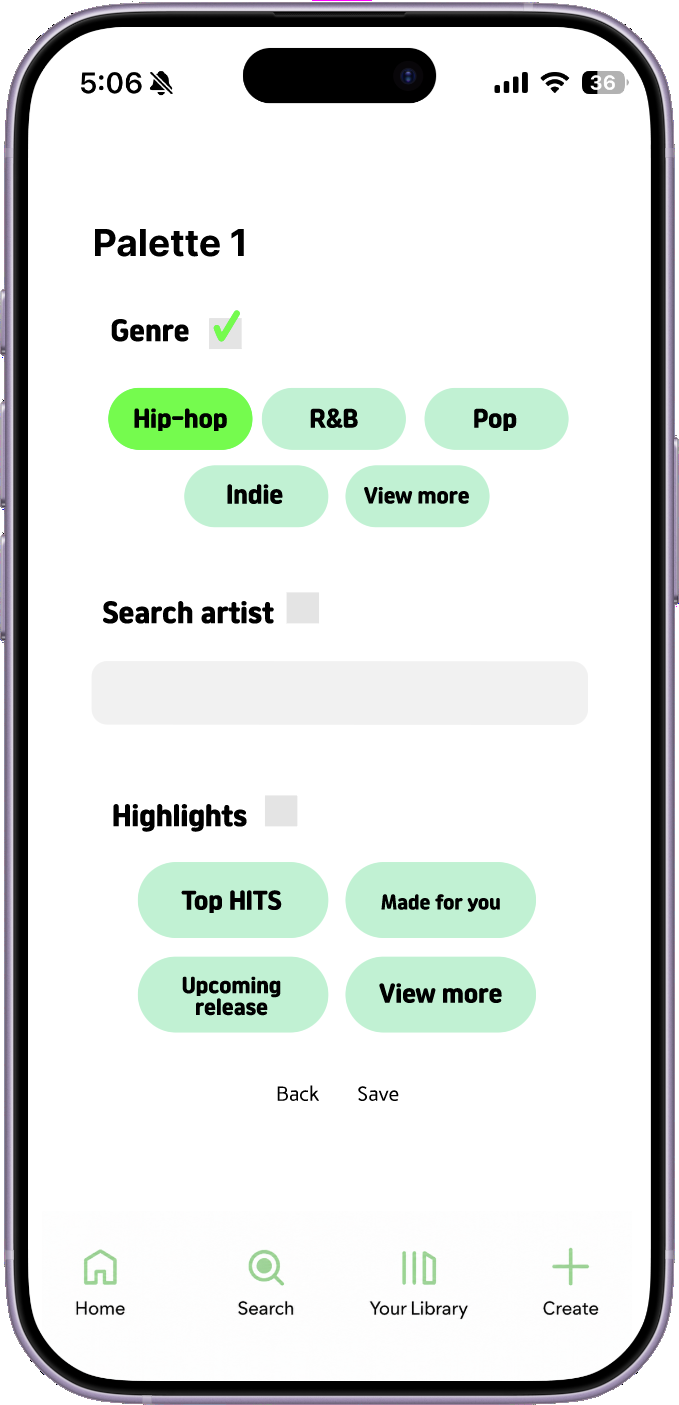
Enables users to curate genres and artists around their individual listening preferences.
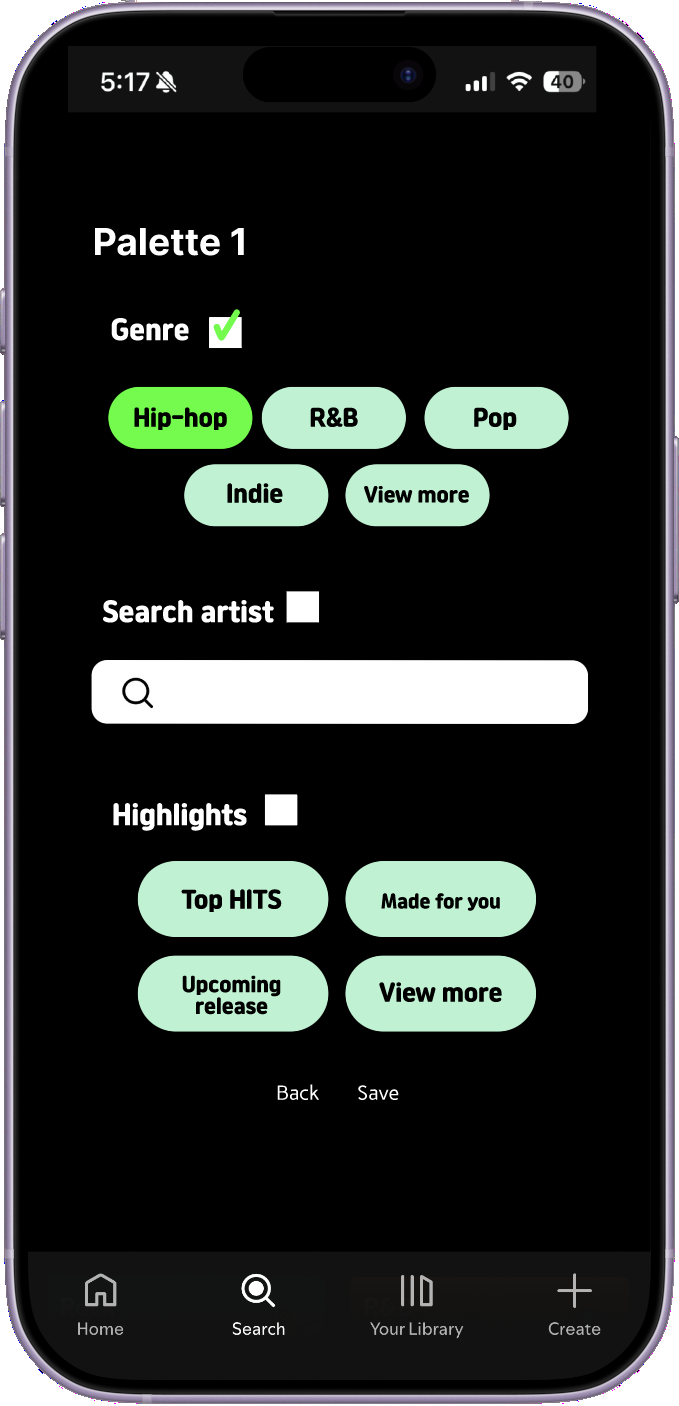
CUSTOMIZING FEATURES
Personalization simplifies discovery and improves accessibility
1
Select → Genres / Artists / Highlights
Select individual elements to build a personalized palette.
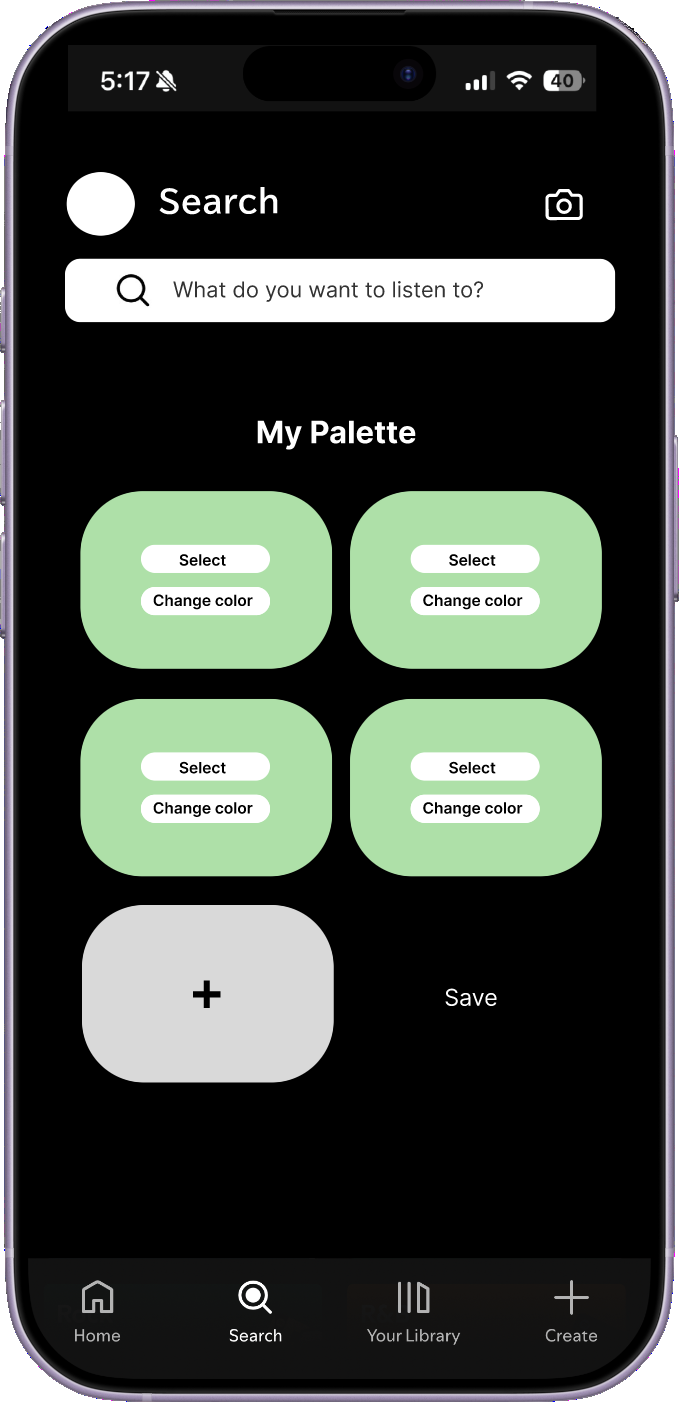
2
Change colors
Customize each palette with colors that reflect individual preferences.
Hip
Hop
Hop
R&B
SZA
Made
for you
for you
Palette Preview
LIGHT MODE EXTENSION
Recognizing the lack of a light mode in Spotify, this redesign introduces an alternative interface for a more flexible viewing experience.